Send One by One
TextQ opens Apple Messages with the recipient and personalized message already filled in. Review it, then tap Send.
Paste or import your list, personalize it with spreadsheet fields, review, and send from your own iPhone.
Coming soon to the App Store.
| firstName | property |
|---|---|
| Emma | 145 Oak Street |
| Daniel | 145 Oak Street |
Hi {firstName}, thanks for stopping by the open house at {property}. Want the disclosures or a private tour?
Copy the number. Switch to Messages. Personalize. Repeat. TextQ handles the repetitive setup while the interaction is still fresh.
Open-house visitors. Event attendees. Client follow-up. Community outreach.
How it works
Copy rows from your spreadsheet, or import a CSV or Excel file.
Use any imported column—like first name, address, or date. Add one image, such as a business card, map, or flyer.
Check recipients and personalized messages. Remove anyone you don’t want to include, then choose how to send.
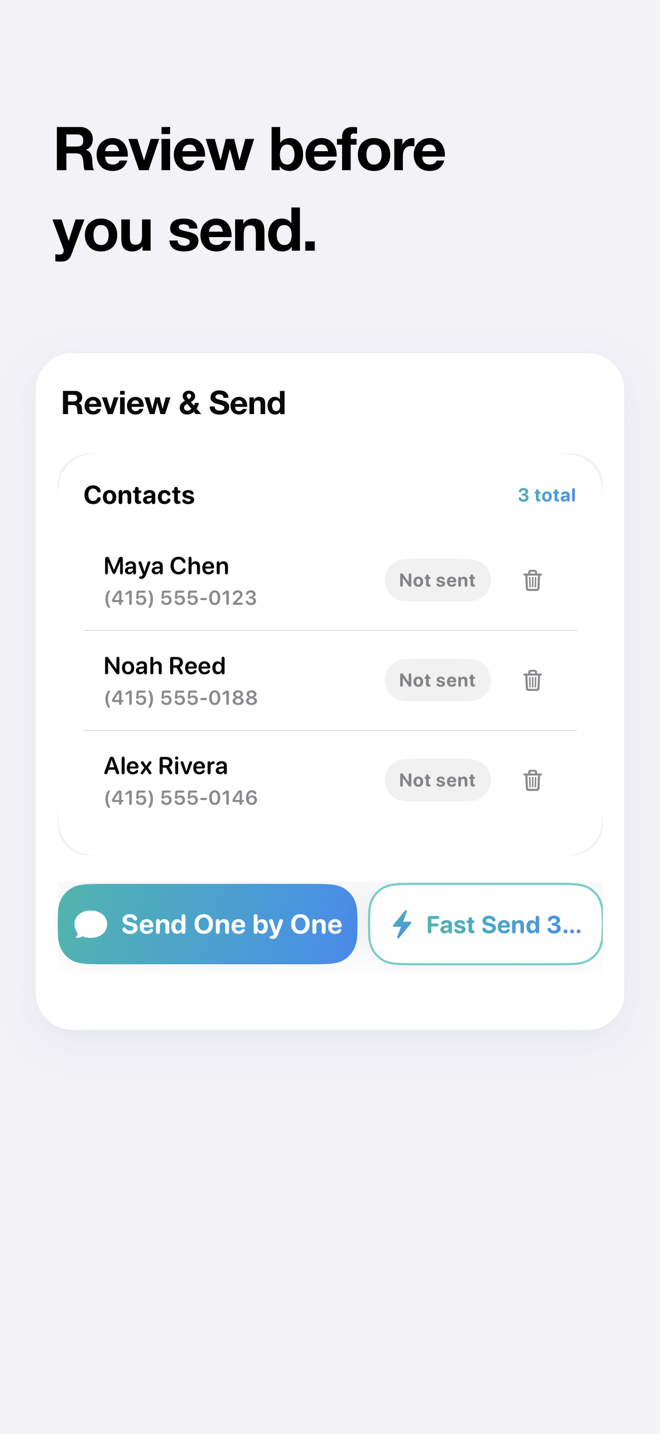
Sending
TextQ opens Apple Messages with the recipient and personalized message already filled in. Review it, then tap Send.
Review the batch in TextQ, then explicitly choose Open Shortcuts & Start Sending for the remaining messages. Requires the TextQ Fast Send Shortcut and sends through Apple Messages.
Privacy
No account. No Contacts access.
Personalize and review on your iPhone.
Privacy
TextQ does not upload or save your imported contact list.
Messages are sent through Apple Messages from your own phone number. Replies stay in Messages.
Free to Pro
Try the complete TextQ experience with your first 30 recipients. No time limit.
Then, for ongoing use
For ongoing use after your first 30 recipients.
$9.99/month or $79.99/year
TextQ for iPhone
Turn your contact list into personalized texts you can review and send from your iPhone.
Coming soon to the App Store.